
Scheduled Tasks runs your recurring patent and paper research
Ask a research question once and get a report on your schedule, plus an optional email.
Ask a research question once and get a report on your schedule, plus an optional email.
Some research questions never close. What did our competitors publish this week? Which approaches in our field are gaining ground? Scheduled Tasks in Patsnap Eureka lets R&D teams set a question like this once and rerun it on a schedule. You can ask each run to search newly published patents and papers. In our weekly competitor test, the report linked to the patents it cited. This post walks through setup and output using a weekly competitor tracker we ran ourselves.
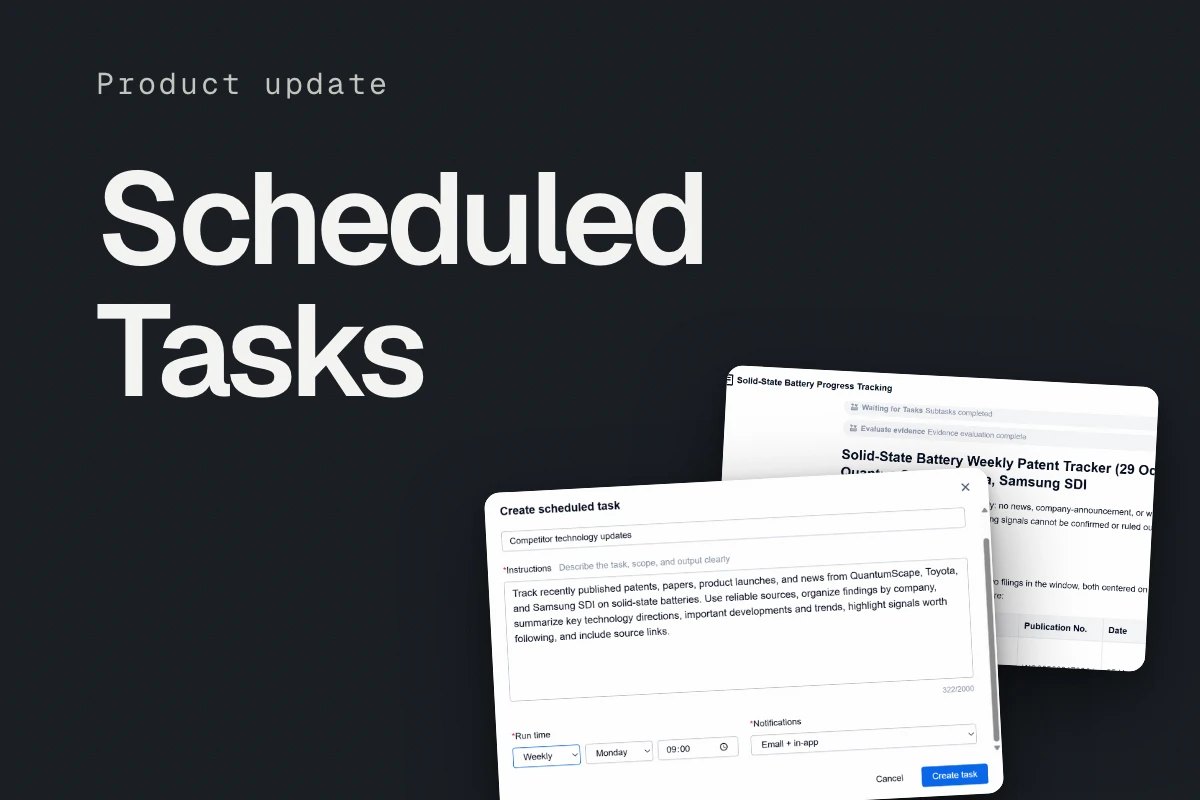
In our test, we set up a weekly tracker for solid-state battery work from QuantumScape, Toyota, and Samsung SDI, with patents, papers, product launches, and news in the instructions. In that run, Patsnap Eureka searched each company in parallel, evaluated the evidence, went back to fill gaps, and wrote the report.
The report was organized by company. Each company section had a table of recently published patents with title, publication number, date, and a short summary, followed by a read on the technology direction and signals that cut across companies. Patent numbers in the text link back to the source documents.
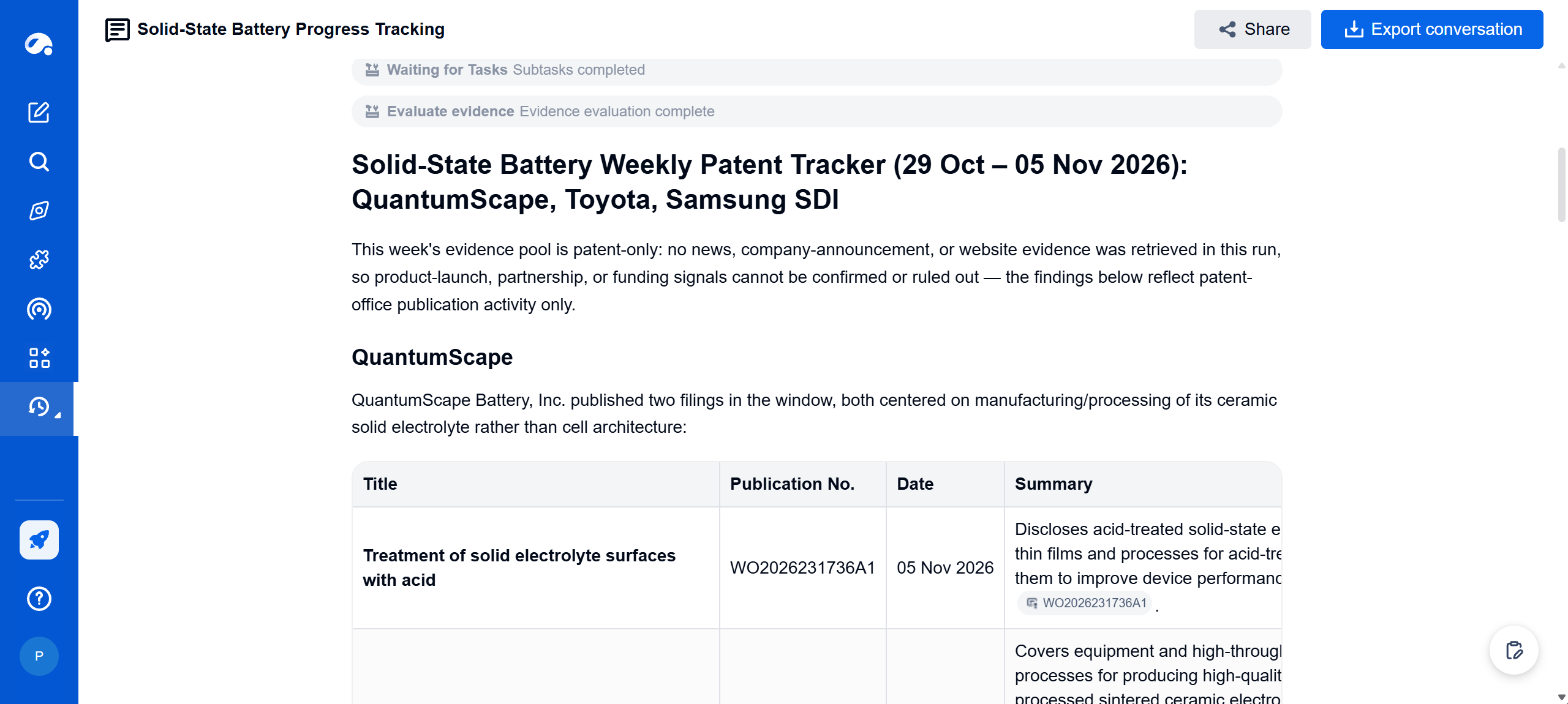
The report also states which evidence it drew on. For this run, it said its conclusions rested on newly published patents only, so the patents in the report were the sources to check. Read that note before you treat a quiet week as "nothing happened."
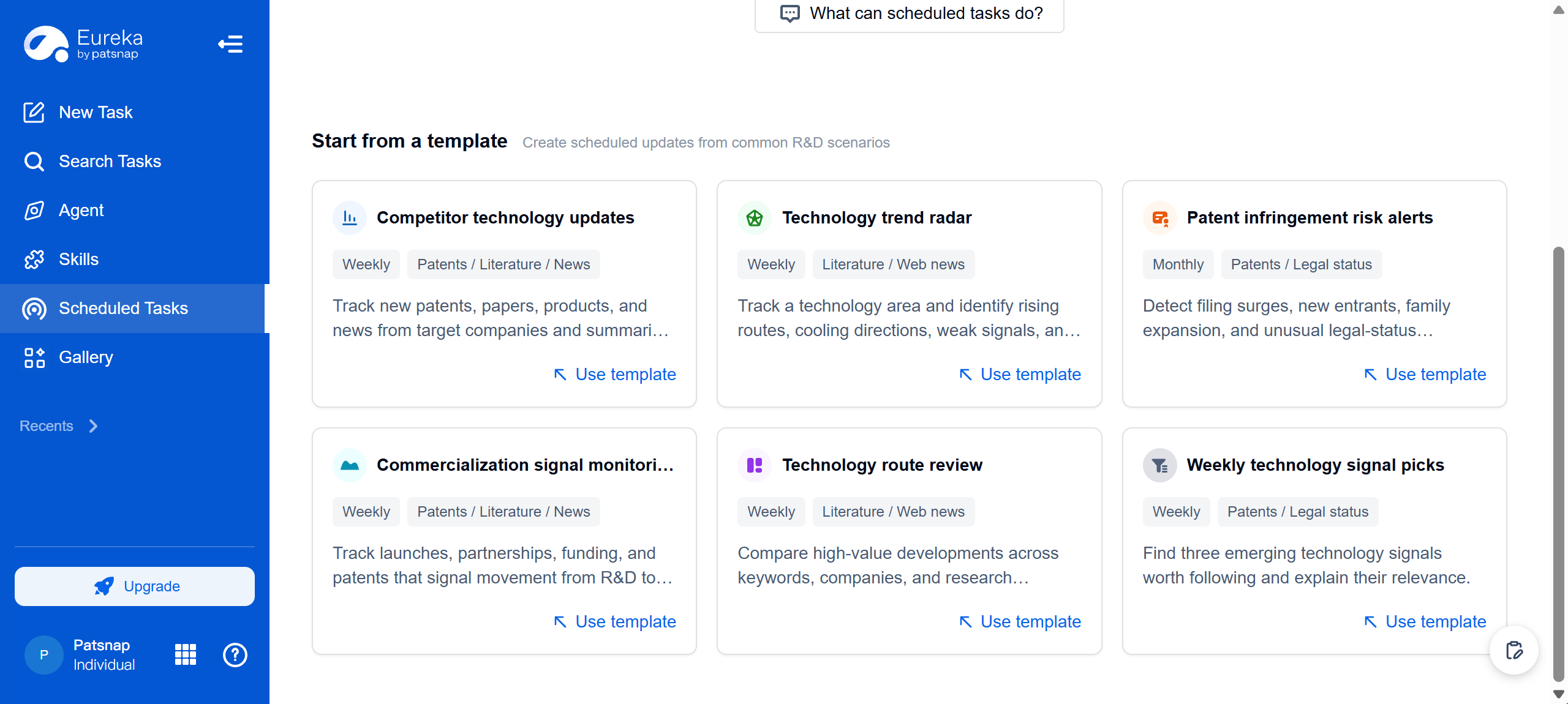
Open Scheduled Tasks from the left sidebar on the Patsnap Eureka home page. We tested it on a self-serve Patsnap Eureka account. There are three ways to create a task:
In the form, Run time sets the frequency (Daily, Weekdays, Weekly on a day you pick, or Monthly) and the time of day. Notifications can be in-app only, or email plus in-app.
A setup you can reuse, based on our test:
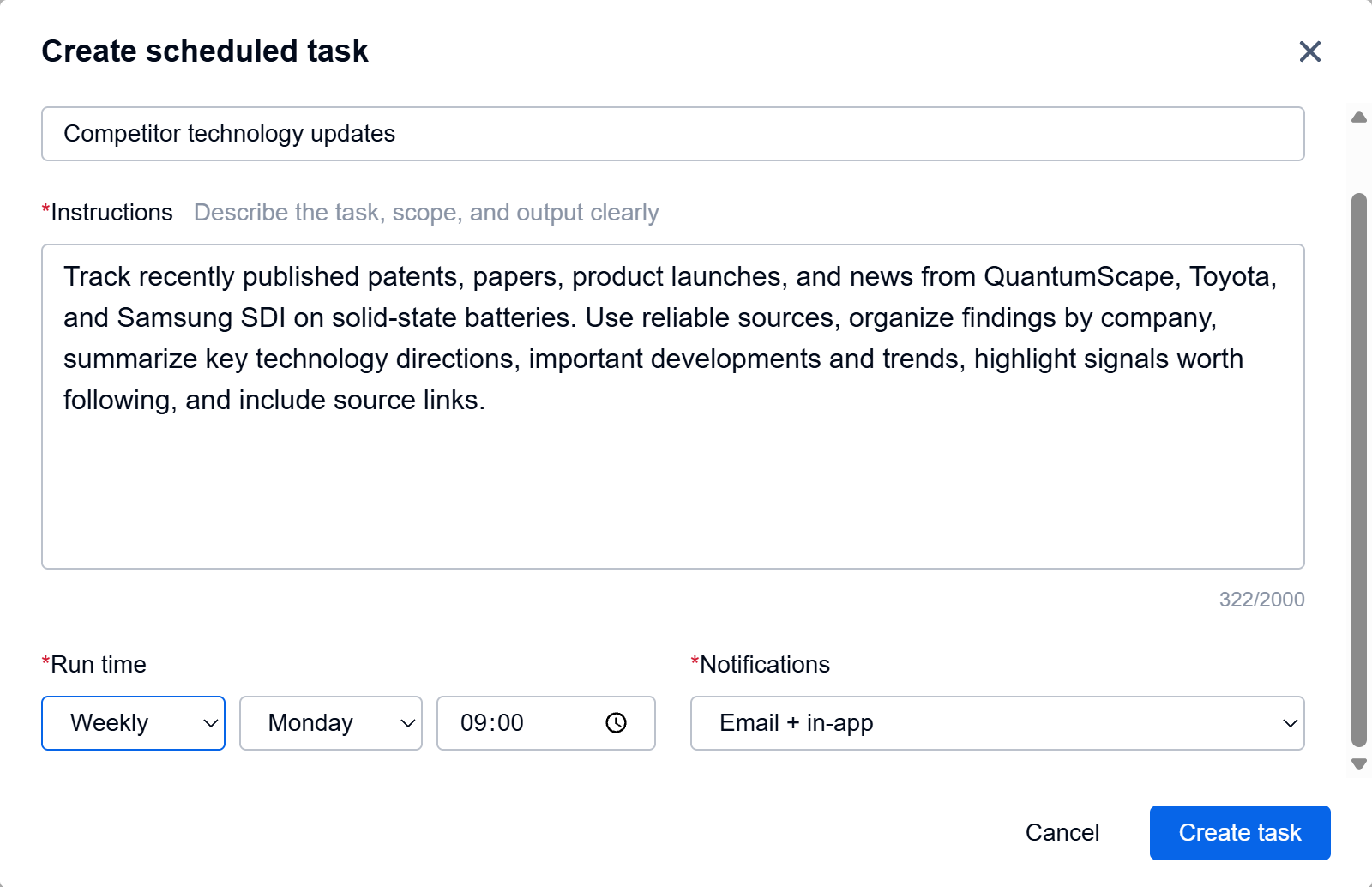
You don't need to set a date range. By default, a weekly task covers the past week. To cover a different period, state the dates in your instructions.
Each run is logged in the task's Run history. From the task page you can also run it now, pause it, edit it, or delete it.
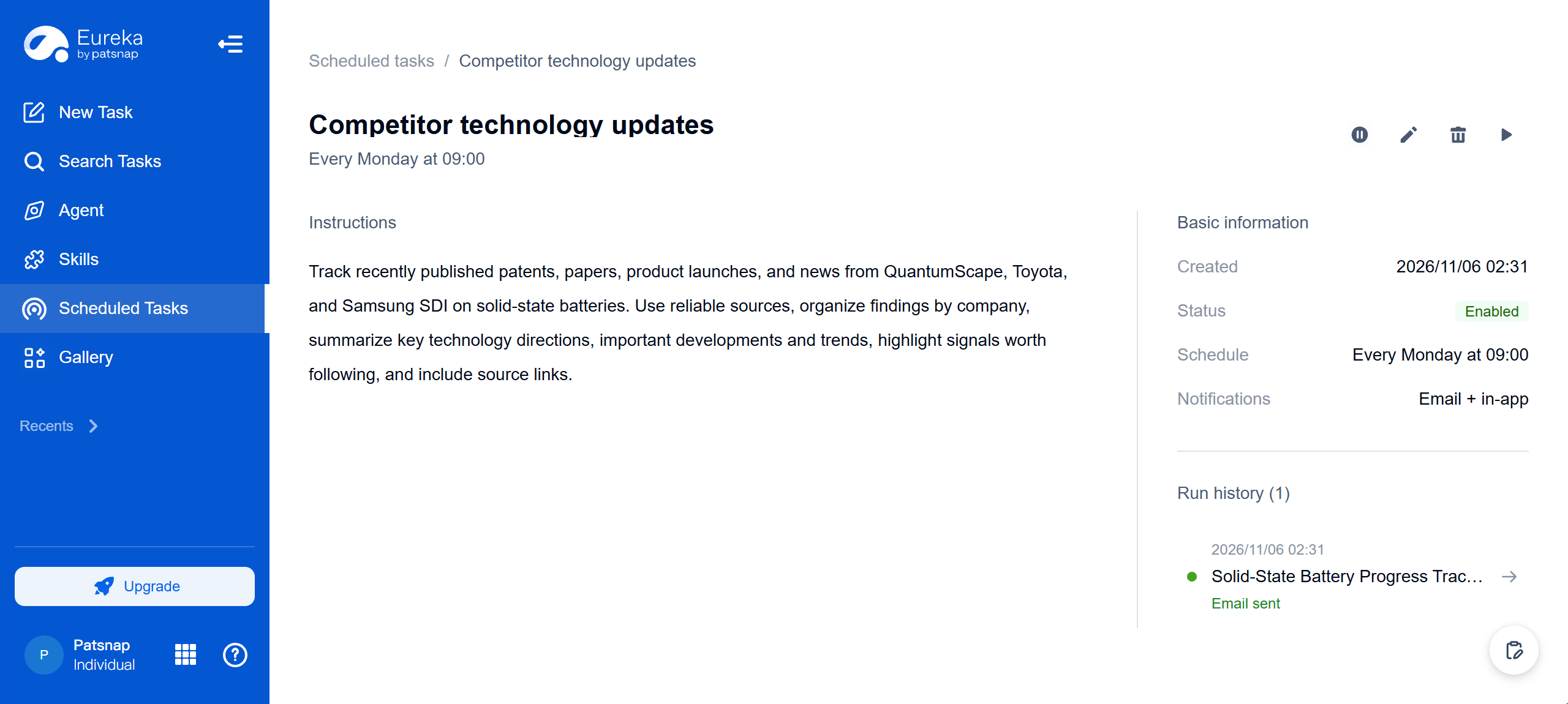
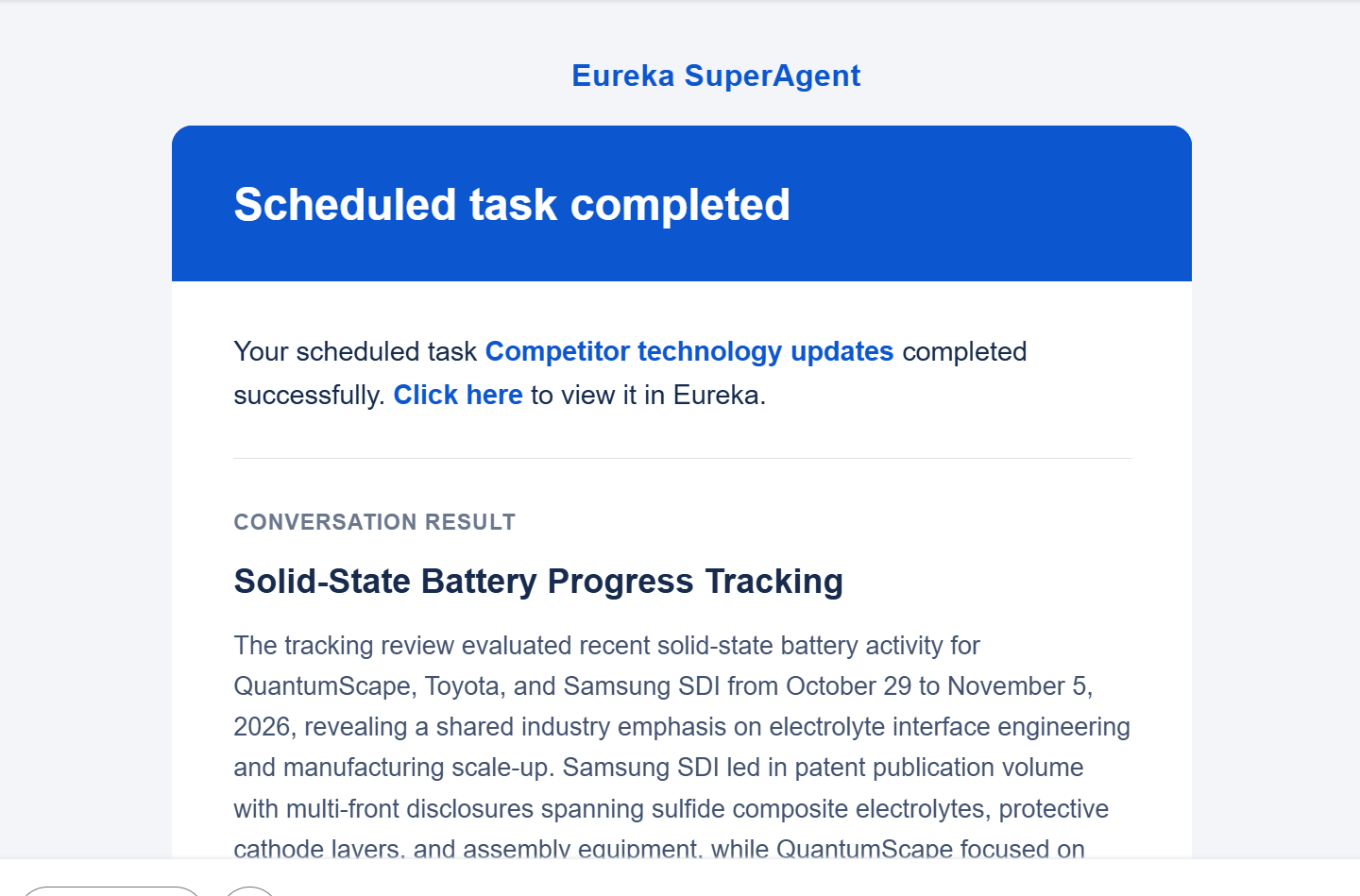
If you turned on email, you get a message when the run completes, with a short summary of the findings and a link back to Patsnap Eureka. In our test, the email carried the summary, and the full report, tables, and source links stayed in Patsnap Eureka.